
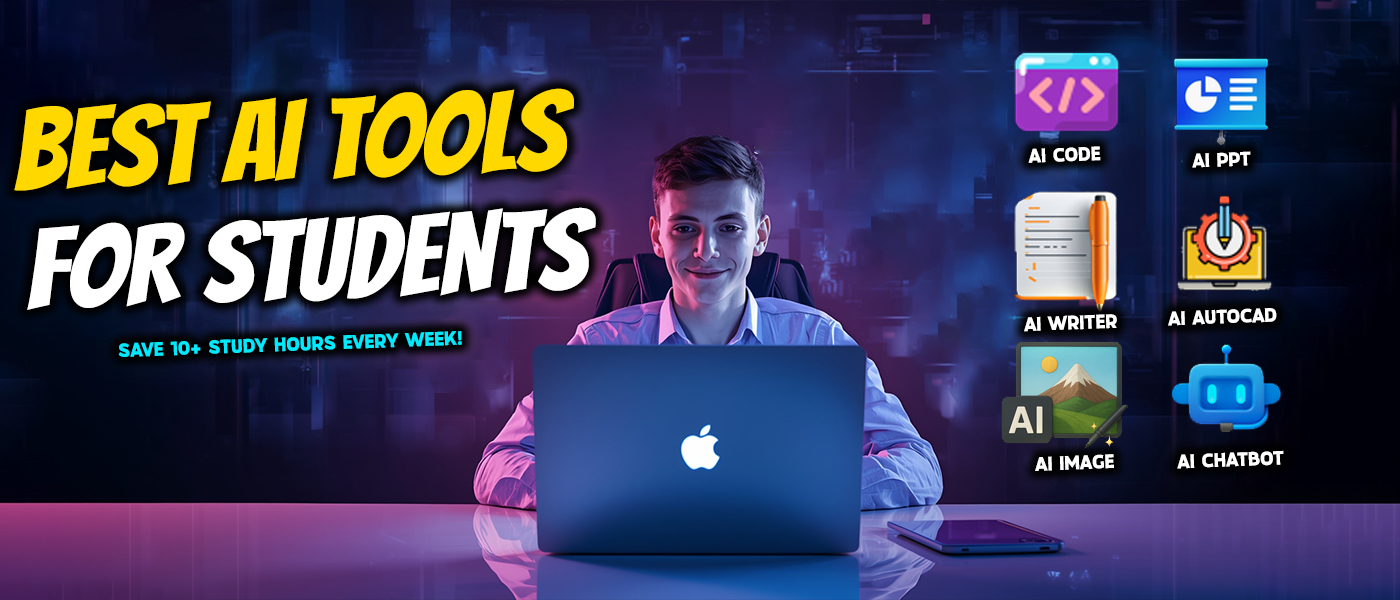
Best AI Tools for Students: Save 10+ Hours Per Week in 2026
Are you spending hours on PowerPoint presentations? Are you overwhelmed with research notes? Are you at 2 AM struggling with citations?
You are not the only one. The average college student spends 15-20 hours on assignments every week—most of it is done on repetitive tasks such as organizing, formatting and searching for sources. However, AI tools for students are the ones that will help you cut that time by 70%.
This is not cheating; it is working smarter. Consider AI as your 24/7 teaching assistant—helping you get the concepts faster, organize better, and present your ideas more professionally.
In this guide, you'll find out how the right AI tools for students can give you 10+ hours back every week while also improving your grades and lowering the stress.
Why AI Tools for Students Are Essential
Let's answer the main question first: Is using AI tools for students considered cheating?
The answer is No—when it is done ethically.
There is a tremendous difference between using AI as a learning tool and avoiding learning completely. Imagine AI as a calculator in a math class. Using it to check your answers or to solve complex equations faster is not cheating—it's efficient.
Moral use of AI tools for students consists of:
- Brainstorming and making outlines
- Getting difficult concepts explained simply
- Making study materials such as flashcards
- Proofreading and enhancing clarity
- Classifying research and arranging citations
- Making graphics for slideshows
What entails crossing the boundary:
- Handing in essays written by AI as if they were yours
- Using AI during closed-book tests without getting permission
- Plagiarizing without comprehending the content
The latest surveys indicate that more than 60% of universities permit AI assistance with appropriate disclosure. The majority of the professors do encourage the use of AI tools for students—they just want you to be the one who learns!
Best AI Tools for Students: Writing and Research
AI Chatbots That Make Learning Easier
Top picks: ChatGPT, Claude, Gemini, StepUpMark.ai chatbot
These conversational AI tools are ideal for overcoming writer's block. You can even produce an outline in just five minutes rather than being stuck for an hour before a blank page and still not having anything to say.
How to use them:
"Explain quantum mechanics in simple terms for my physics paper"
"Help me outline an essay comparing Renaissance and Baroque art"
"What are the main arguments for and against renewable energy?"
Pro tip: AI responses shouldn't be copied directly. Rather, they can be used to help understand the topics, after which the student can write in his/her voice. These AI tools for students work best as tutors, not ghostwriters.
Time saved: 1-2 hours per assignment
Grammar Checkers and Citation Tools
Besides the tools for writing in your own words, the likes of Grammarly and QuillBot work to refine your paper. They identify grammatical errors, suggest simpler ways to say something, and ensure uniformity of tone.
For citations, services like Scribbr and MyBib automatically create references in APA, MLA, or Chicago style. Just input a URL and you will receive a flawless citation within seconds.
One student said: "I would take an hour to proofread each paper. Now, in 15 minutes, Grammarly catches 90% of the mistakes that I made."
Time saved: 45 minutes per paper on editing and citations
Research Assistants That Find Sources Fast
Tools: Perplexity AI, Consensus, Elicit
With the advent of these AI tools for students, research is done totally differently. A user can simply ask a specific question instead of spending two hours on Google Scholar and get relevant papers with citations within minutes.
Example: "What are recent peer-reviewed studies on social media's effects on teenage mental health?"
The AI performs the search through academic databases, summarizes the findings, and gives proper citations—all in one response.
Time saved: 2-3 hours per research project
Smart Note-Taking
Tools: Otter.ai, Fireflies, Notion AI
Automatic transcription and AI-generated summaries highlighting key concepts are available when you record your professor's lecture.
This workflow can change the game:
Record lecture on your mobile device
Otter.ai uploads
Complete transcription + AI summary
Review main ideas in 10 minutes instead of re-listening to the entire hour
Time saved: 1-2 hours every week on note review
AI Tools for Students: Presentations and Visual Content
Professional Presentations in Minutes
Tools: Popai, Beautiful.ai, and StepUpMark.ai PPT Generator
This is the area where students can really reap benefits from AI tools. Conventional presentations take around 3-4 hours. AI does the same in just 15 minutes.
Process:
Go to StepUpMark.ai and pick the PPT Generator
Type your topic or paste your outline
Select your template style
AI makes 10-15 professionally designed slides in less than 2 minutes
Edit as you like
Time saved: 3-4 hours per presentation
AI Image Generators
Tools: StepUpMark.ai Image Generator, DALL-E, Midjourney
Want eye-catching images? Then these AI-tools for students will be the ones to provide you with personalized illustrations based on the text description.
Different cases of using them:
History presentation → "Generate the scene of tea party at 18th-century Boston Harbor"
Science project → "Create a labeled diagram of water cycle"
Marketing class → "Minimalist mockup of sustainable water bottle with eco-friendly design"
Time saved: 1-2 hours per project on visuals
AI Tools for Students: Study and Memory Enhancement
Flashcard Generators
Tools: Quizlet AI, Anki with AI plugins, StudyFetch
Simply by uploading lecture notes or textbook pages, and these AI tools for students instantly create flashcards including questions and answers. Before exams, there is no more need to create 100 flashcards manually.
The AI comprehends the main ideas, formulates important questions, and applies spaced repetition techniques to the learner's advantage.
Study hack: Students using AI flashcards with spaced repetition report 2x better retention compared to traditional methods.
Time saved: 1-2 hours per exam on study prep
Practice Test Generators
Tools: Knowt, Quizgecko
Upload your notes and receive multiple-choice questions, fill-in-the-blanks, and short-answer questions to evaluate your understanding.Real results: "I was getting Cs in organic chemistry. After using AI-generated practice tests to identify weak areas, I brought my grade to an A-."Time saved: 1 hour weekly while improving test scores
AI Tools for Students: STEM Support
Code Assistants
Tools: StepUpMark.ai Coder, GitHub Copilot, Replit AI
Learning to code is a tough task. These AI tools for students come to the rescue by helping with code debugging, elucidating difficult functions, and even converting pseudocode into working code.How students use it:
"Explain this Python function in simple terms"
"Debug my code and show me the error"
"Convert this algorithm from Java to Python"
The AI won't write the code for you—instead, it will teach you by explaining concepts and helping you figure out why certain approaches work.
Time saved: 2-3 hours weekly on debugging
Math Solvers
Tools: Wolfram Alpha, Photomath, Microsoft Math Solver
All these offer detailed solutions to math problems, which is essential for learning the methods—not just getting the answers.
The use of AI tools by students is not meant to be a substitute for the learning process; rather, it is meant to help them grasp the concept behind it. After trying to solve problems on their own, it is advised that they check their work.
Time wasted: 1-2hours per week while enhancing perception
Ethical Use of AI Tools for Students
We need to set the ethical boundaries straight:
✅ DO:
Seek AI's help in clearing up hard concepts
Come up with outlines and ideas through brainstorming
Check the grammar and make the writing clearer
Prepare materials for study
Put the research in order and cite sources properly
Make the visuals for the presentation
❌ DON'T:
Turn in AI-written essays as if they were your own
Use AI during closed-book tests without prior consent
Paste text directly from the source just because you know
School's AI policy is not to be taken into account
Be Aware of Your college's Policy
Different schools have different restrictions. Review your syllabus, and if you are still unsure, consult your instructor. Openness is always the best policy.
These days, quite a few schools insist on an "AI transparency statement" when it comes to assignments. A simple statement like "I used ChatGPT for brainstorming ideas and writing the outline of this essay, but the entire content is in my own words" demonstrates honesty clearly.
Quick Reference: Top AI Tools for Students by Category
Writing & Research:
ChatGPT/Claude (StepUpMark.ai) - Providing concepts explanations and brainstorming
Grammarly - Checking of grammar and style
Perplexity AI - Locating of academic sources
Presentations & Visuals:
StepUpMark.ai PPT Generator - Creation of professional slide decks within minutes
StepUpMark.ai Image Generator - Provision of custom illustrations
Canva AI - Making of infographics and graphics
Study & Memory:
Quizlet AI - Generation of flashcards
Otter.ai - Transcription of lectures
ChatPDF - Summaries of research papers
STEM:
StepUpMark.ai Coder - Acquisition of programming skills
Wolfram Alpha - Solving of math problems
Organization:
Notion AI - A workspace that does it all
Todoist AI - Management of tasks
Frequently Asked Questions About AI Tools for Students
Q. Can professors detect AI-generated content?
A. Yes, using tools like Turnitin and GPTZero. However, these only detect AI-written content, not AI-assisted work. If you use AI for brainstorming and research, then write in your own voice, you're good to go.
Q. Which AI tools for students should I begin with?
A. StepUpMark.ai's chatbot or ChatGPT are the best options for your first general help. They are the most flexible and can do the most. Then depending on your requirements, you can add specialized tools.
Q. Are free AI tools for students good enough?
A. Certainly. The majority of AI tools have very generous free tiers. ChatGPT, Google Bard, Perplexity, and StepUpMark.ai are all excellent for students on free plans.
Q. Will AI tools for students hinder my learning?
A. Only when they are used wrongly. Learning through AI skipping is a drawback to you. However, learning through AI—understanding concepts, preparing materials, getting unstuck—fortifies comprehension.
Start Your AI Journey Today
The use of AI tools for students can genuinely save you more than 10 hours a week if you apply them ethically and strategically. The important thing is to start with a small step, to focus on the tools that are the most painful for you, and to create a sustainable workflow.
Keep in mind: The aim is not to reduce your work—it's to make it smarter. Allow the use of AI tools for students to release hours for in-depth learning, creative projects, mental health care, and even the pleasant experience of being in college.
Are you ready to turn your student life around? StepUpMark.ai is the place to go if you want to get access to 20+ AI tools in one platform. Become a part of the student body that is already using these AI tools for students to elevate their grades while keeping their lives in balance. Your future self will appreciate it if you begin now.
Start saving 10+ hours per week at StepUpMark.ai →